

Before you start
- You must be 18 or older.
- Have your government ID and a phone or laptop camera ready.
- Use your legal name and real date of birth. Didit checks them against your ID.
Apply
1
Open the application
Go to Portfolio → Settings and scroll to Become a Seller, or click Sell in the header.
2
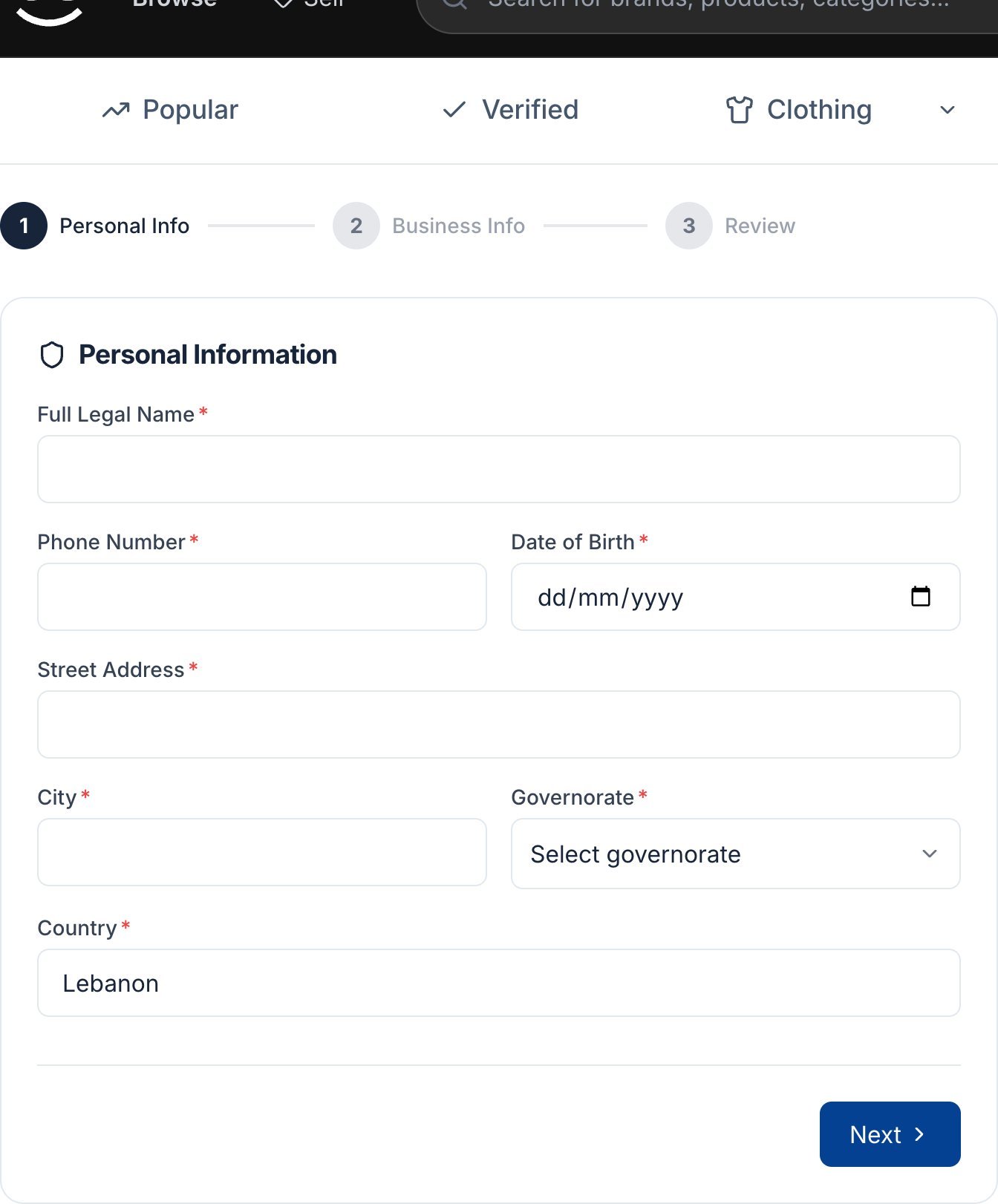
Personal Info
Enter your full legal name, phone number, date of birth, street address, city and governorate. All fields are required.
3
Business Info (optional)
Add a business name, tax ID or national ID, and why you want to sell, if you like.
4
Review and submit
Tick the consent box for Didit to process your ID, selfie and biometric data, then click Submit Application.
5
Verify with Didit
A secure Didit window opens. Photograph the front and back of your ID and take a selfie.
6
Wait for approval
Your status shows Application Under Review. You get an email when the team decides. Once approved, you see You are a verified seller and an Open seller dashboard link.
If you’re rejected
You see Application Rejected with the team’s feedback. Fix the issue, wait 24 hours, and click Apply Again.Re-verification
Souqna may ask you to verify your identity again, for example when your verification expires. Until you do, your seller workspace is locked. Look for the banner Please complete identity verification and click Complete verification in account settings. Re-verification doesn’t count toward the 3-application limit.Next steps
Create your first listing
Add photos, pick a price and publish.