

What you pay
The Order Summary at checkout lists every charge before you place the order.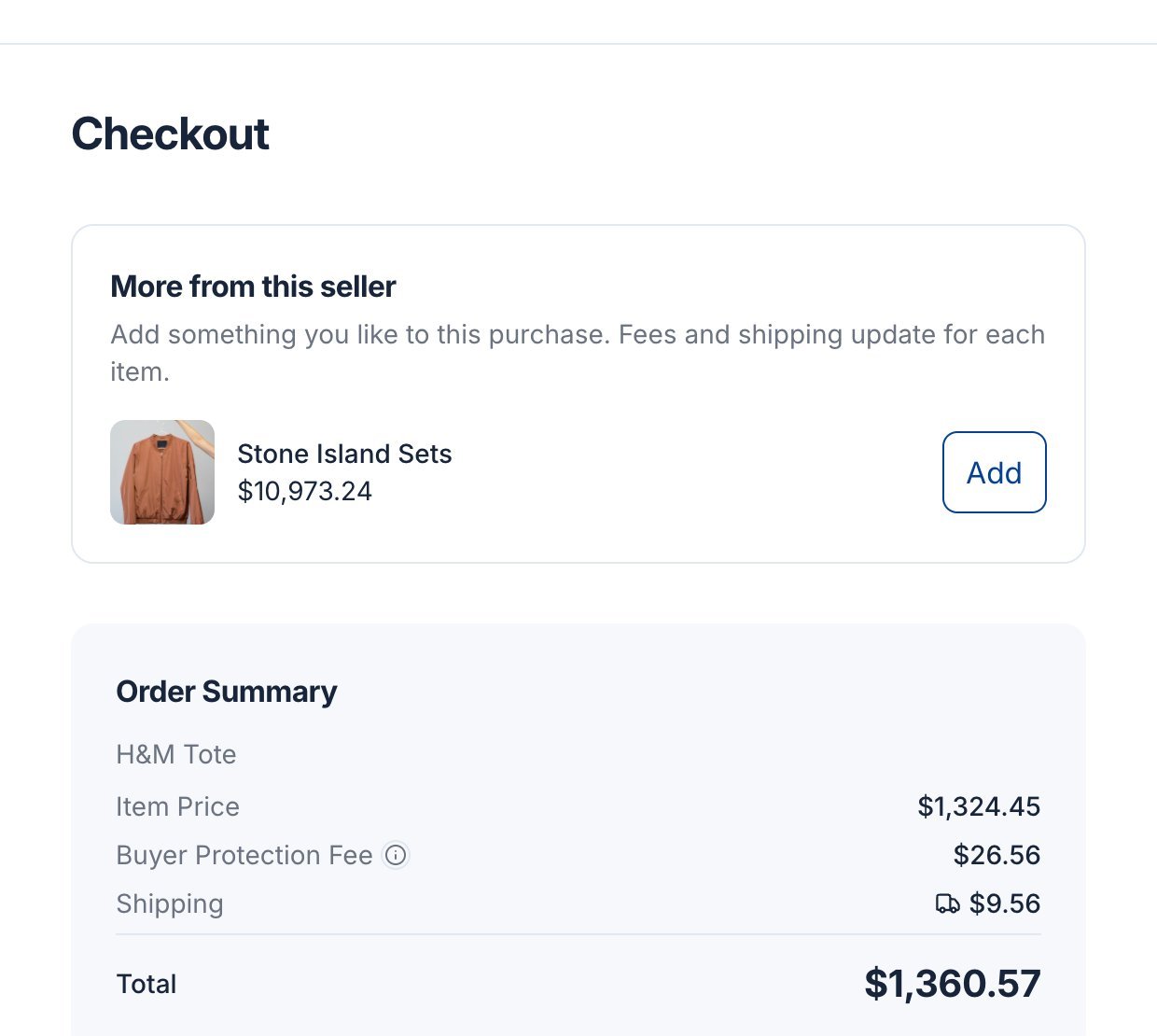
Try it with your own price:
The estimate leaves out shipping because it depends on where you and the seller are. Fees can change; the checkout page always shows the exact total.
Place your order
1
Choose your delivery address
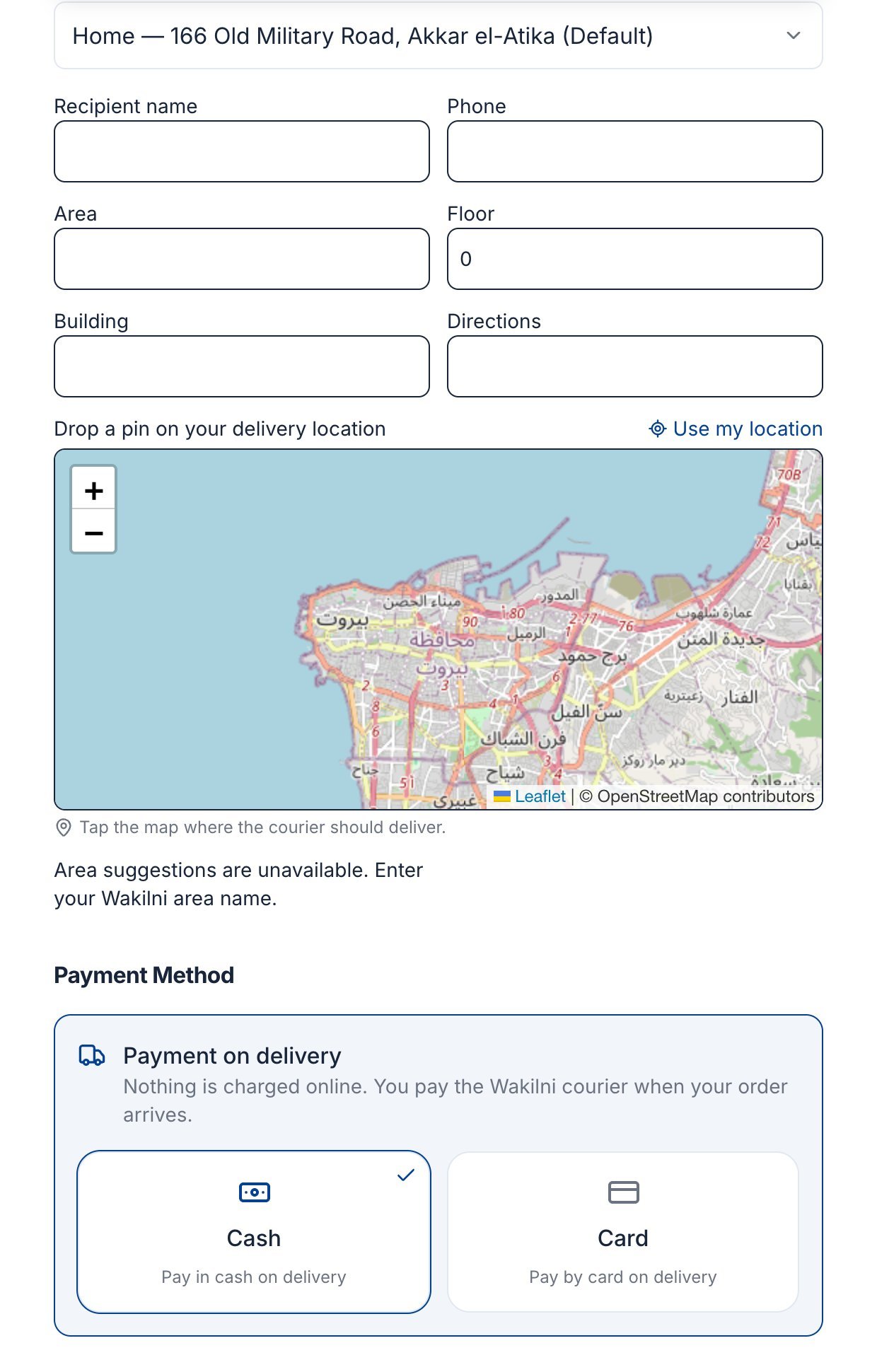
Pick a saved address, or choose Enter new address and fill in the street, city and governorate.
2
Add courier details
Enter the recipient name, phone and Wakilni area. Floor, building and directions are optional but help the courier.
3
Drop a pin
Tap the map where the courier should deliver, or click Use my location. Drag the pin to adjust it. Tick Save this address for later to reuse it.
4
Choose how to pay
Under Payment on delivery, pick Cash or Card. With Card, the courier brings a card machine.
5
Place the order
Click Place Order. You see a confirmation and a link to your order.
Item verification
On items marked Eligible for verification, you can add Verification & Care Service or Cleaning & Validating at checkout. With either option:- The seller sends the item to the Souqna warehouse first.
- The team checks (and cleans) it.
- Wakilni delivers it to you, and you pay on that final delivery.
Next steps
Track your order
Follow delivery, confirm receipt, or report a problem.